HHoloFolio

HoloFolio Guide

Everything you need in
one complete guide

From browsing the catalog to generating insurance reports, explore every HoloFolio feature step by step.

01

Catalog & Discovery

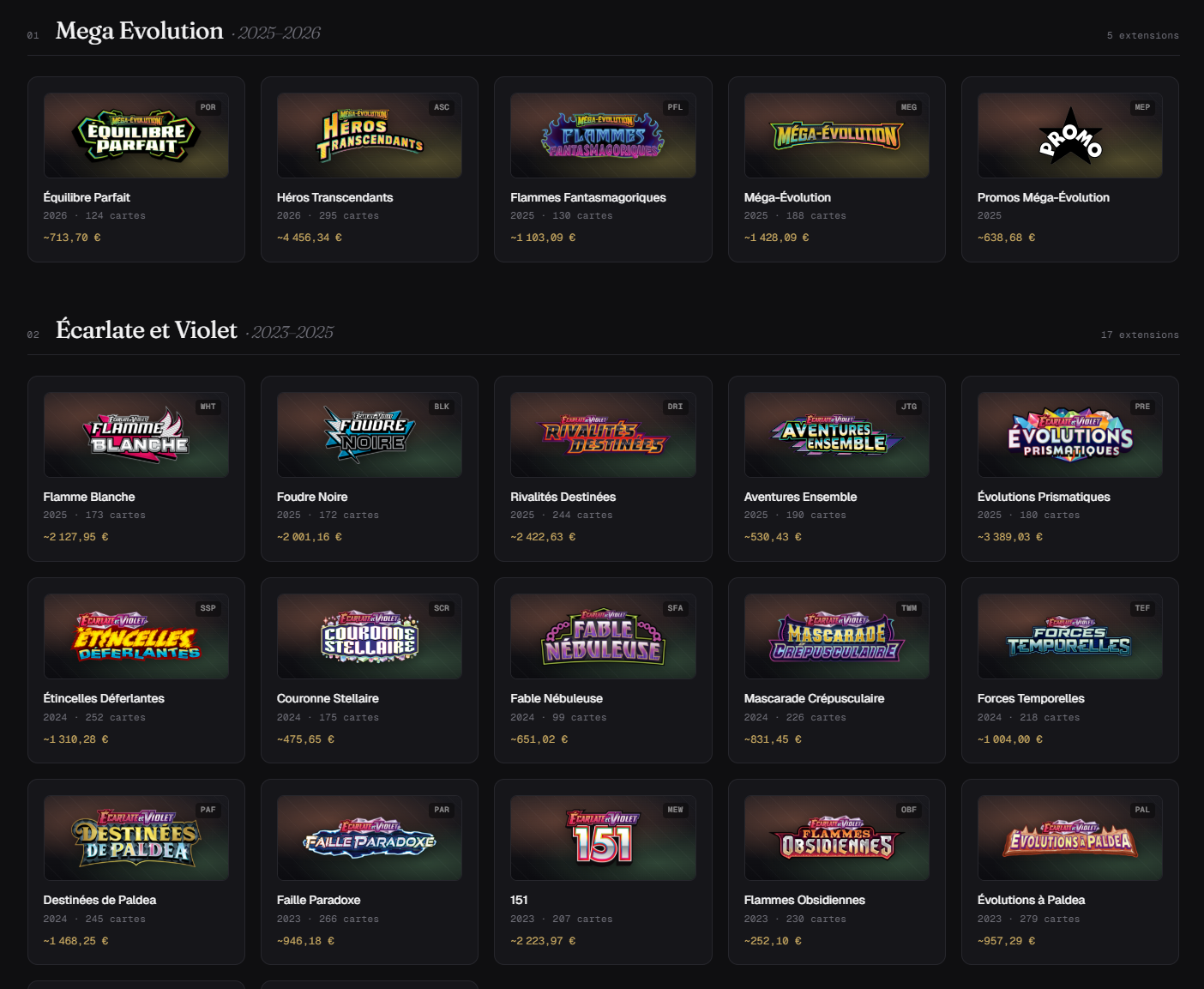
Browse every Pokemon TCG set, from the very beginning to the latest releases. Every card, every sealed product, with Cardmarket prices updated daily.
Catalog & Discovery
100+ sets indexed
From Base Set (1999) to the latest releases. All series, all cards, FR and EN names.
Real-time prices
Near Mint Cardmarket prices across multiple markets (FR, DE, ES, IT and more coming) synced daily.
Sealed products
Boosters, ETBs, displays, tins, box sets — all listed with current and historical prices.
Price history
Price evolution chart over 7d, 30d, 1 year. Spot trends before buying or selling.
Tip: Click on any card to see its full details page with price history, illustrator, and options to add it to your collection.

02

Collection Management

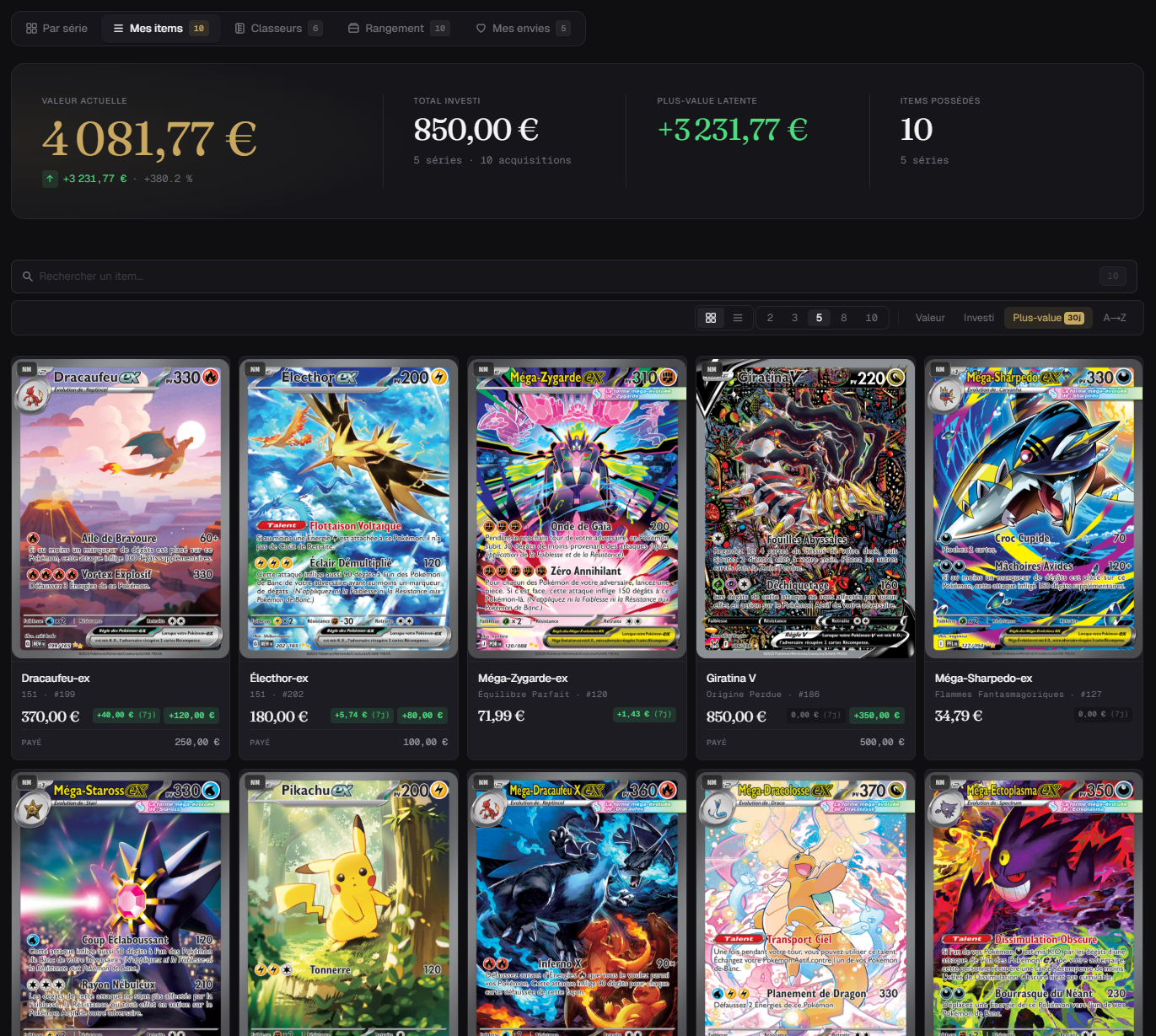
Add your cards in a few clicks. Enter the quantity, condition, purchase price, date, and even a proof of purchase.
1
Find your card
Via the catalog, the search (Ctrl+K), or directly from a set page.
2
Click "Add to my collection"
A side panel opens with all fields: quantity, condition, purchase price, date, notes, and proof of purchase.
3
Manage your items
From the "Collection" tab, find your cards by set, by item, or in your virtual binders. Edit or delete at any time.
Collection Management
Quick add
Quantity, condition, purchase price, date, notes — all in one form. You can also attach a proof of purchase (photo or PDF).
Proof of purchase
Upload a receipt (image or PDF), stored encrypted. Automatically included in the insurance report.

03

Grading & Condition

Record the condition of each card or its certified grade. HoloFolio supports all major grading companies.

Grading company
PSA
BGS
CGC
ACE
PCA
AGS
Condition (ungraded)
NMNear Mint
LPLightly Played
MPModerately Played
HPHeavily Played
DMGDamaged
PSA, BGS, CGC, ACE, PCA, AGSSelect the grading company, then the exact grade. The badge appears on the card in your collection with the company's color.

04

Binders & Storage

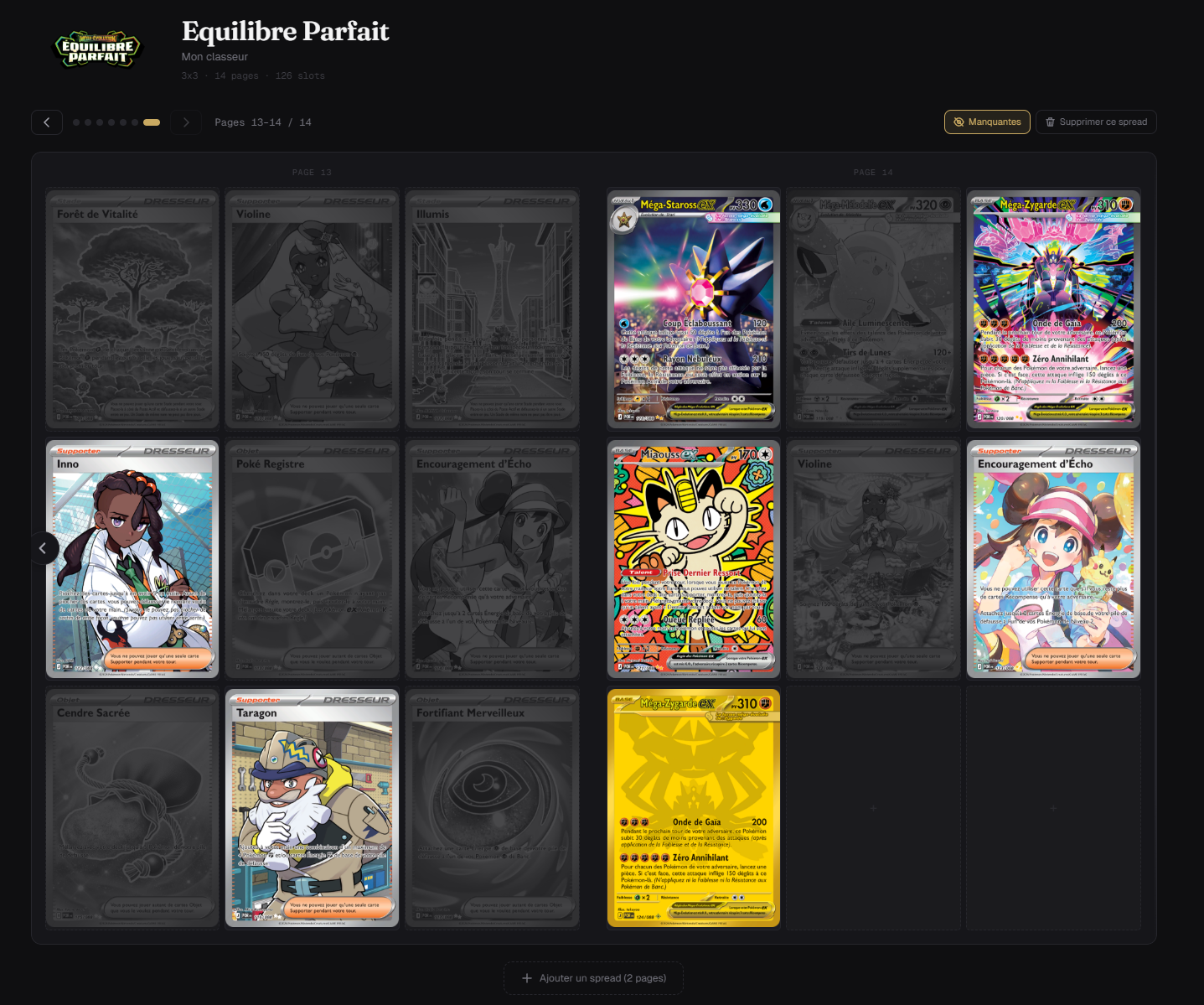
Organize your collection like in real life: virtual binders with customizable grids, and physical storage tracking.
Virtual binders
Create binders with 3x3, 4x4, or 6x6 grids. Drag your cards into slots. Track fill rate.
Physical storage
Boxes, cartons, shelves, display cases — track where each card is physically located. Nested storage supported.
Binders & Storage

05

Portfolio & Investment

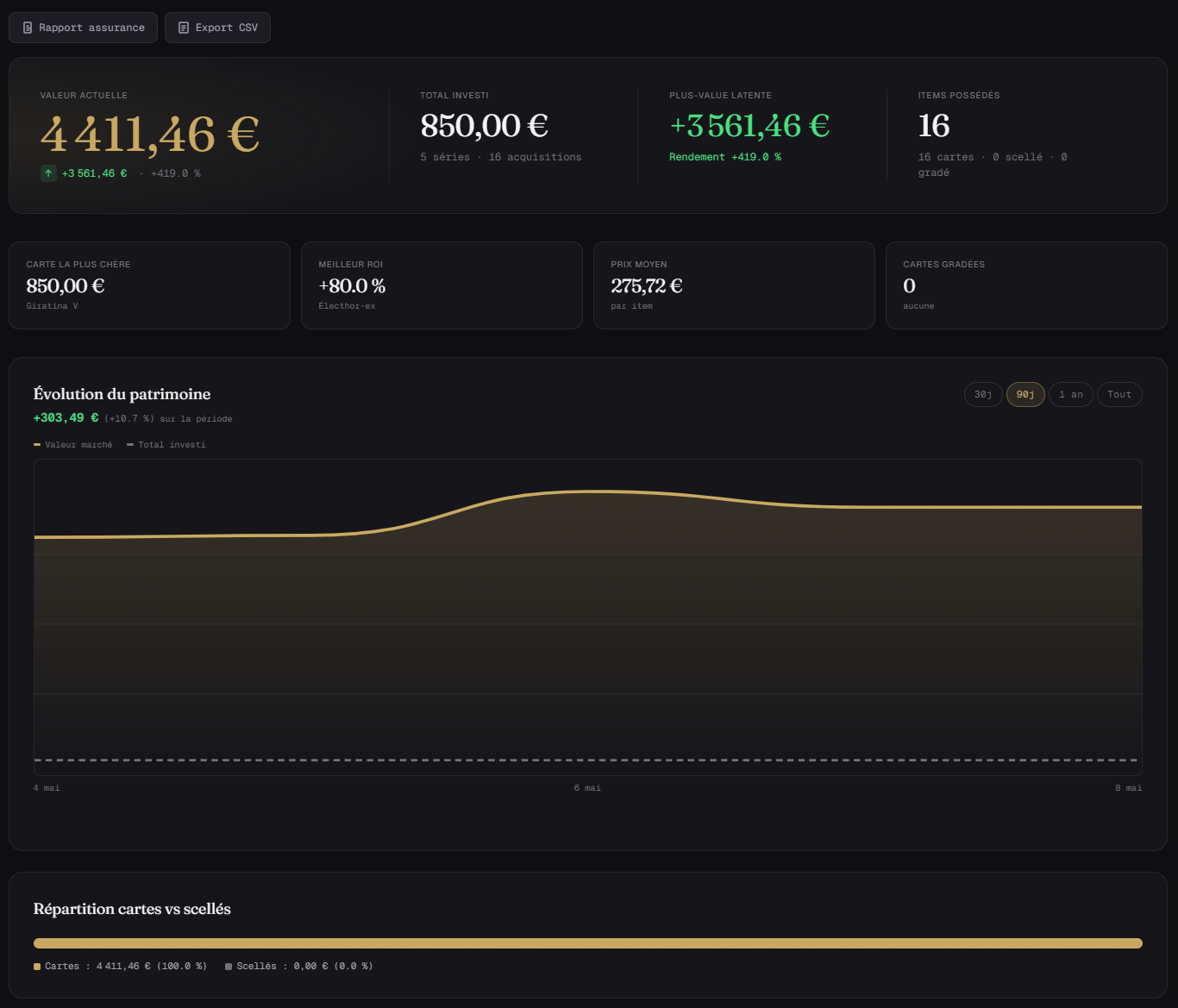
Track the value of your collection in real time. Visualize your gains, losses, and portfolio performance.
Portfolio & Investment
Performance chart
Interactive chart showing the evolution of your collection value over 7 days, 30 days, or since the beginning.
Top performers
Identify the cards gaining the most value and those losing value. Sort by absolute or percentage gain/loss.

06

Market & Prices

View real-time market variations. Switch Cardmarket markets in one click (FR, DE, ES, IT and more coming).

Multi-market Cardmarket
Switch between FR, DE, ES, IT prices (and more coming) via the market selector in the navigation bar. Your choice is remembered.
Top movers
The Market page shows the biggest daily risers and fallers. Perfect for spotting opportunities.
Tip: Prices come from over 35 sources (Cardmarket, eBay, TCGplayer) and are updated daily. 7d and 30d averages are calculated automatically.

07

Export & Sharing

Export your collection as CSV, PDF, or generate a complete insurance file with your proofs of purchase. Share your collection via a secure link.

Export my collection
CSV
Spreadsheet
Excel, Google Sheets
PDF
Document
HoloFolio branded report
ZIP
Insurance
Report + proofs of purchase
Insurance report
Detailed PDF with market valuation, capital gains, and all your proofs of purchase bundled in a ZIP file.
Collection sharing
Generate a unique link to share your collection publicly. The recipient sees your cards and their value, without access to your account.
CSV Import: Already have a collection elsewhere? Import it in bulk via a CSV file from the Collection page.

08

Wishlist & Alerts

Add the cards you're chasing to your wishlist. Track their price changes and be alerted at the right time.

Unlimited wishlist
Add any card or sealed product to your wish list. Accessible from the "My wishlist" tab in your collection.
Trend tracking
Each card on your wishlist shows its price trend (rising, falling, stable) to help you decide when to buy.

09

Search & Shortcuts

Find any card or set in a few keystrokes with the universal search.

Quick search
Charizard...Ctrl+K
Charizard V
Obsidian Flames
Charizard VMAX
Shining Fates
Charizard ex
151
Keyboard shortcut: Press Ctrl+K (or ⌘+K on Mac) from any page to open instant search. Type a card name, number, or set name.

10

Account & Subscription

Manage your profile, subscription, and preferences from your account settings.

Profile & username
Change your username, password, or delete your account at any time.
HoloPass
$1.99/month or $19.90/year. Priority support, HoloPass badge, and early access to new features.
Security & GDPR
Encrypted data, European hosting, GDPR compliant. Export or delete your data at any time.
Notifications
Enable or disable price alerts, wishlist notifications, and emails.

Ready to get started?

Create your account for free and start managing your collection right now.

HoloFolio Complete Guide — All Features | HoloFolio